Setup for the UK, the USA, Canada, Germany and beyond
Balkans TV setup: your Balkan IPTV subscription running in 15 minutes
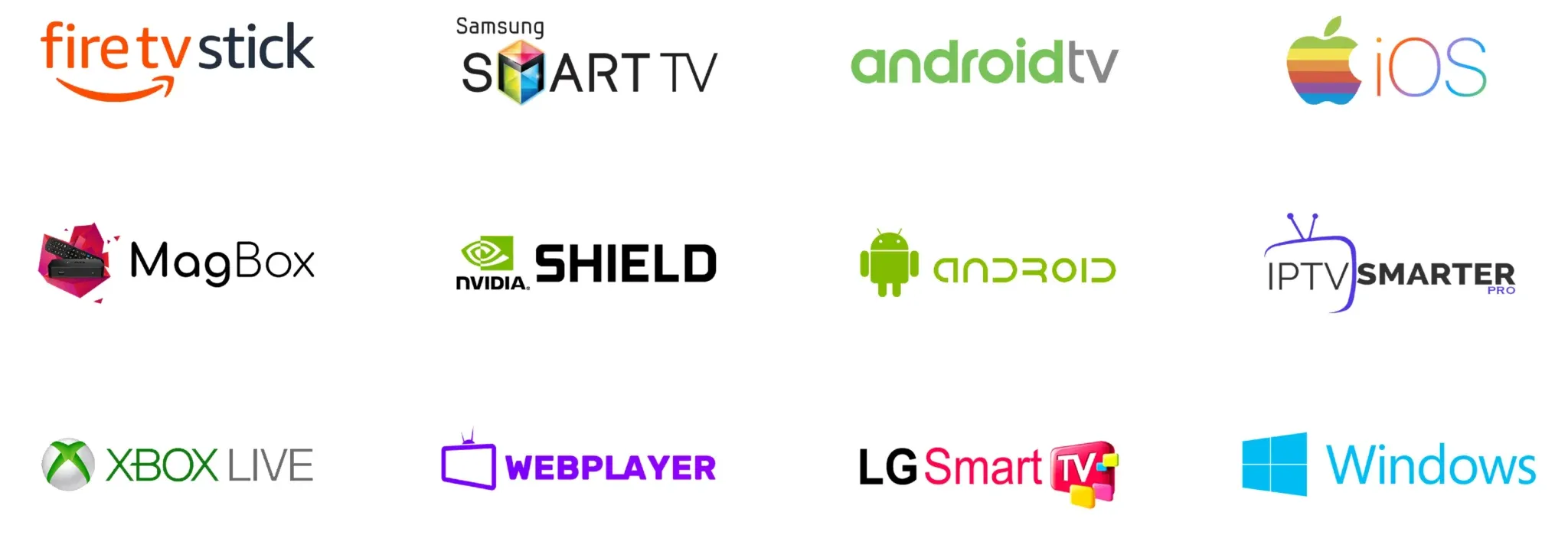
Your Balkan IPTV subscription setup takes under a quarter of an hour and needs neither tools nor prior knowledge. Order your plan, open the message with the login details and enter them into a free player app. This guide walks you to the first channel step by step for every device, from the Fire TV Stick through Samsung and LG televisions to the phone.
- Details by message in minutes
- 7 hardware groups covered
- Help around the clock
First steps
Balkans TV login details: what your message holds
After you order you receive a message from Balkans TV with every detail for signing in. Keep this note safe, because it holds the username, the password plus the addresses for the channel list and the programme guide.
Shortly after payment the activation lands in your inbox, usually after a few minutes and at the latest within around a quarter of an hour. Dispatch runs day and night, including weekends and public holidays. If anything is delayed, first check the spam folder and the correct spelling of your address. Every Balkans TV message holds four blocks that you need for almost all player apps. The username and the password assign your connection. The server address, often called the portal or Xtream address, links the app with our channel hub. The playlist address, usually called the M3U link, delivers the sorted channel list with more than 50,000 entries. The guide address feeds the electronic programme guide with air times for the coming days.
- Adopt the username and the password exactly, ideally through copy and paste with no stray spaces at the start or the end.
- Enter the server or portal address only once and then restart the device, so the Balkans TV list loads fully.
- Store the guide address separately, because some apps ask for the guide source in its own menu item.
- Secure a stable Wi-Fi link with at least 25 Mbps, then full football nights on your Balkan IPTV subscription play without a break.
Keep three details ready for emergencies if you write to us: the address of your order, the exact hardware name and the name of the app in use. With these three lines our team assigns your request at once and usually sends the fitting answer within the hour. That shortens every fault search to a few messages.
Device 1 of 7
Balkan IPTV subscription on the Fire TV Stick
The stick from Amazon stays the fastest route to the first Balkans TV night. Five minutes, two apps to pick from and one remote are enough.
- Load the player app
Open the app store on the stick and search for TiviMate or for IPTV Smarters Pro. Load one of the two players, and both work reliably with your Balkan IPTV subscription access.
- Pick Xtream login
Start the app and pick the login through Xtream codes or through the API. Enter the server address, the username and the password from your Balkans TV message.
- Load the list and the guide
Confirm the entry and wait two to three minutes until the channels, the library and the guide appear fully. Do not close the app while it loads.
- Sort favourites
Place home news channels and sport channels in the favourites. Your Balkans TV night then starts in future with two clicks instead of long browsing.
- Start the first channel
Pick a news channel and check picture and sound for a minute. If everything plays calmly, nothing blocks the feature film or the live match.
A handy note for stick users: TiviMate shows the prettier guide, while IPTV Smarters Pro leads beginners with larger buttons. Both players use the same Balkans TV details, so a switch costs you no new order.
Device 2 of 7
Balkans TV on Samsung and LG smart TVs
On modern televisions your Balkans TV plays directly, with no extra box. The set itself becomes the receiver, and the remote stays your only tool.
- Fetch the app from the TV store
Open the app area of your Samsung or LG television and install the IBO Player or IPTV Smarters Pro. Both apps wait in the official shop of the set.
- Enter the playlist address
Start the player and enter the M3U address plus the guide address from your Balkans TV message. Mind every dot and every slash of the address.
- Restart the television
Switch the set off and on once, so the channel list with all 50,000 entries writes cleanly to memory. This restart prevents empty categories.
- Check the picture mode
Set the picture mode in the TV menu to sport or cinema, depending on the hour. Your Balkans TV signal delivers SD, HD, 4K and selected titles in 8K by channel.
- Set the child lock
Define a PIN for late slots if you need one. Your Balkans TV family viewing then fits every age.
Important for Samsung and LG owners: some models ask for a one-time unlock of the player. Simply answer our team with the hardware code from the app, and you receive the fitting Balkans TV notes by message.
Device 3 of 7
Balkan IPTV subscription on Android TV and boxes
Boxes with Android TV offer the most power for your Balkans TV home cinema. Full channel lists, fast switching times and razor-sharp sport broadcasts come along.
- Install TiviMate
Open the Play Store on your box and load TiviMate. The app counts as the fastest player for large Balkans TV lists with tens of thousands of entries.
- Enter the Xtream access
Add a new account and pick the Xtream login. Transfer the server address, the username and the password from your Balkan IPTV subscription note.
- Refresh the guide
Trigger the guide refresh in the settings and wait a few minutes. Your Balkans TV then shows air times, programme names and short blurbs.
- Pick a fitting buffer
Set the buffer size in the app to medium or large if your Wi-Fi sits far from the router. This reserve smooths load peaks on football nights.
- Test the sport group
Open the sport category and switch three channels on one after another. If every channel answers within seconds, your Balkan IPTV subscription setup sits perfectly.
A power tip for boxes: link the box through a network cable if the router stands near. Cable delivers steadier values than radio and also carries parallel recordings plus the 7-day catch-up of your Balkans TV access.
Device 4 of 7
Balkans TV on Apple TV, iPhone and iPad
One Balkans TV account feeds your whole Apple family, from the big screen to the pocket. The login stays the same everywhere, and the library state travels along.
- Load Smarters Pro
Load IPTV Smarters Pro from the App Store onto Apple TV as well as onto iPhone or iPad. The app syncs your Balkans TV channels across all Apple hardware.
- Adopt the login details
Sign in with the username, the password and the server address from your message. Use the same account on all hardware, yet always watch on only one screen at a time.
- Allow mobile data
Permit the app in the iPhone settings to use mobile data if you watch on the road. Your Balkans TV programme stays stable on the train or in the lunch break too.
- Set up screen mirroring
Mirror the iPhone picture to Apple TV if you like. The home film then starts on the phone and ends on the big canvas.
- Test the catch-up
Open a broadcast from yesterday through the 7-day catch-up and skip forward a few minutes. If the jump plays cleanly, your Balkans TV also masters time-shifted viewing.
An Apple note for families: create separate profiles on shared hardware, so news, kids shows and sport stay cleanly apart. Every profile remembers its own favourites of your Balkans TV account.
Device 5 of 7
Balkan IPTV subscription on Android phones
News from home belongs in every pocket. Your Balkan IPTV subscription phone reception plays over Wi-Fi just as over mobile data and needs only a single app.
- Fetch the player from the Play Store
Install IPTV Smarters Pro on your Android phone. The app is lean, free and understands all Balkan IPTV subscription login routes.
- Enter the Xtream details
Pick the Xtream login and adopt the server address, the username and the password from your Balkans TV message. Check the spelling before you confirm.
- Limit data use
Set playback quality on the road to automatic or medium, so your data volume lasts longer. At home in Wi-Fi switch back to full Balkans TV sharpness.
- Mark favourites
Mark news channels and favourite series as favourites. You then find your Balkan IPTV subscription programme on the small screen without searching.
- Run the headphone test
Start a live channel with headphones for a minute. Clean tone without dropouts confirms that your Balkans TV link carries on mobile too.
A road tip: preload some library titles over Wi-Fi before long drives, where your app offers it. Your Balkans TV night programme then follows you even through dead zones.
Device 6 of 7
Balkans TV on MAG boxes
MAG receivers count as classics for straight viewing with no frills. One address, one restart, and your Balkans TV greets you with the familiar menu.
- Open the portal menu
Move to the settings of your MAG box and open the area for portals or servers. Store the portal address from your Balkans TV message there.
- Type the address exactly
Type the address character by character and save the entry. A single twisted digit yields an empty list, so care pays here.
- Restart the box
Restart the MAG box through the menu and wait until the portal loads fully. Your Balkans TV menu builds itself with all categories.
- Pick a channel group
Browse country groups and sport folders and open one channel each as a test. Stable pictures on three channels confirm the Balkans TV link.
- Assign the remote
Place favourite channels on the number keys where your model supports it. News at half past seven then needs a single press.
A MAG note for movers: older boxes load large lists slowly, and that is normal rather than a fault of your Balkans TV account. Grant the first start up to five minutes, and switching then feels clearly quicker.
Device 7 of 7
Balkan IPTV subscription on Windows and Mac
On the desk, in the home office or travelling with the laptop: your Balkan IPTV subscription computer access runs through lean players and needs no extra hardware.
- Install a player of your choice
Load a player for Windows or Mac from the official source of the provider. Many users start with IPTV Smarters Pro or a lean M3U player of their choice.
- Pick playlist or Xtream
Enter either the M3U address or the Xtream details from your Balkans TV message. Both routes open the same 50,000 channels plus the 200,000 films and series.
- Let the list load
Grant the app a few minutes for the first sync and do not close the window. Live TV, the library and the 7-day catch-up of your Balkan IPTV subscription account then stand ready.
- Learn the shortcuts
Note volume, full screen and channel switching as shortcuts. On the computer you steer your Balkans TV night faster through the keyboard than through the mouse.
- Test the second screen
Drag the picture to the television through an HDMI cable if you need it. The laptop thus becomes the quiet Balkans TV feeder for the living room.
A computer tip for workers: watch in the lunch break through headphones and close the app fully afterwards. Your Balkan IPTV subscription account stays free for the television night, because always only one screen watches at a time.
Troubleshooting
Balkans TV will not start: four fixes in minutes
Nine out of ten requests resolve with four moves. Work through this short Balkans TV checklist from top to bottom before you write to us.
Why does my Balkans TV app report wrong login details?
Usually a stray space or a swapped letter hides behind it. Copy the username, the password and the server address again directly from the message and paste them with no extras. If the login then passes, the spelling caused it rather than your account.
Why does my Balkan IPTV subscription list stay empty or load forever?
Restart the hardware and the app and grant up to five minutes to the first sync, because 50,000 channels need a moment. Check your internet speed in parallel, since from around 25 Mbps the picture stands stable. On radio trouble switch to a network cable as a test.
Why does my Balkans TV picture stutter on football nights?
Close other downloads and pause parallel streams in the household during the match. Set the buffer in TiviMate or Smarters Pro to medium or large and pick one level below top resolution if needed. If the stutter holds after that, send us your hardware, your app and the hour by message.
How does the Balkans TV help desk reach me fastest?
Write to support@balkanstv.de with your order address, your exact hardware and the name of the app. Briefly describe which step fails and which note appears. Our team answers around the clock, usually within the hour, with a guide for exactly your case.
Ready for Balkans TV tonight
No account yet? Pick your plan on the home page and receive the login details by message within around a quarter of an hour. This guide waits here when you are ready.
Login details by message within around a quarter of an hour · Help around the clock